我们很高兴地宣布我们新的 openSUSE 每周新闻。

openSUSE 每周新闻
### openSUSE 每周新闻团队
第 159 期
发布日期:2011-01-22
目录
公告 黑客周 VI 状态更新
构建服务团队 GNOME 团队 openFATE 团队 测试团队 翻译团队 在社区中
来自社区活动和会议 openSUSE 供你聆听 贡献者 新/更新的应用 @ openSUSE 安全更新 内核审查 技巧和窍门
针对桌面用户 针对命令行/脚本 新手 针对开发人员和程序员 针对系统管理员 Planet SUSE openSUSE 论坛 网络上
参与呼吁 报告 评论和文章 鸣谢 反馈 翻译
摘要
我们很高兴地宣布 openSUSE 每周新闻的第 159 期。
您也可以以其他格式阅读本期内容。只需点击 此处。
祝您阅读愉快 :-)
openSUSE 11.4 计数器

 公告
公告
** OBS 书籍项目 **
openSUSE 构建服务 (OBS) 有一个问题。它非常强大,但鲜为人知。或者说,没有人知道如何简短地利用它。
我们的文档目前只存在于 wiki 中。虽然 wiki 仍然并将继续作为文档资源,但我们中的一些 OBS 用户和开发者认为我们需要一些更结构化和编辑过的东西。简而言之,一本真正的书,你可以阅读它来获得完整的概述。
因此,我们开始创建编写此类书籍的基础设施,它是 openSUSE 文档项目的一部分。这意味着文档是用 docbook 编写的,并托管在 svn 中。
docbook 代码目前每天生成一次 HTML。目前设置了两本书,一本作为 参考指南,另一本作为 最佳实践指南。
docbook 的好处在于,我们还可以将特定于实例的内容包含在内,例如仅对 build.opensuse.org 或 build.meego.com 等有效的章节或段落。我们可以在之后从这个通用源生成特定的书籍。
到目前为止,这两本书中唯一真正存在的文章是关于如何参与书籍编写的。所以来吧,提供补丁或在 berlios 上创建一个帐户以获得直接提交权限。目前你不需要完全了解 OBS,了解某个领域的知识就足够了。我们稍后会改进它。
目前不要太在意当前的结构。一旦我们有更多内容,我们会重新思考它。
请阅读当前的 序言,它定义了这些书籍的目标。
这些书籍的许可与 openSUSE wiki 中文本的许可相同 (GFDL)。这意味着我们可以将 wiki 中的所有文本部分复制到书籍中,反之亦然。
当然,请加入 opensuse-buildservice 邮件列表,讨论任何文章、目标或建议。没有什么是不变的:)
 黑客周 VI
Michal Ìihař:黑客周和 Gammu 中的 Symbian 支持
去年我没有太多时间花在黑客周的非工作相关项目上,因为我们利用了人们不使用系统的时间来替换一些内部系统。今年会不一样,我决定花一些时间在 Gammu 上。
计划是实现对 Symbian 手机的支持。这是经常被要求的特性,并且由于 Series60-remote,我也可以看到如何实现它。目前的计划是添加对他们的 applet 的支持,并可能在未来扩展它并添加一些它所缺乏的特性。
你可以在 openFATE 或 Gammu 错误跟踪器中评论这个特性。
Hackweek VI
**黑客周 VI** 将于 2011 年 1 月 24 日至 28 日举行。
黑客周是 Novell 回馈 openSUSE 社区的最大方式之一——通过为开发者提供花用他们的带薪工作周为自由和开源软件做出贡献,而不是他们的指定项目。黑客周 V 产生了一系列令人惊叹的项目,包括 froxlor(服务器管理面板)、一个 捐赠管理应用程序 用于 Shelterbox、一个 SUSE Studio 的 GUI 客户端,以及 数百个更多。之前的黑客周已经产生了现在成为桌面 Linux 主流的项目,例如 Tasque 和 Giver。
**黑客周 VI** 的主题是“工程云”,允许开发者亲身体验相关的项目。为了支持这种方法,我们提供对一些选定的云提供商的访问,并提供一个设置,你可以在其中部署云基础设施软件(例如 Eucalyptus)。你最喜欢的黑客项目可能与该主题相关,也可能不相关,只要它是 Linux 或 SUSE 相关的即可。
与往年一样,我们将使用 openFATE 来跟踪你的想法并与可能希望加入项目的其他人协调。请务必查看 黑客周 VI 产品类别中列出的所有想法。
我们还计划提名与“工程云”主题相关的 3 个最佳项目,并赠送亚马逊礼品券。为了让你的项目被考虑,我们要求你
像往年一样,Novell 邀请 openSUSE 社区贡献者参与。参与的 Novell 地点也会尝试提供一个“黑客空间”,一个舒适的地方来见面、一起工作和吃零食。
最后,我们正在通过 #hackweek6 在 twitter 上 传播消息,并期待在那里听到你的更新。有关更多信息,请访问 黑客周门户 在 //en.opensuse.net.cn/Portal:Hackweek,玩得开心!
 状态更新
状态更新
 构建服务团队
构建服务统计信息。 统计信息可以在 Buildservice 上找到
 GNOME 团队
** Nelson Marques:Ubuntu 软件的大幅更新… **
| 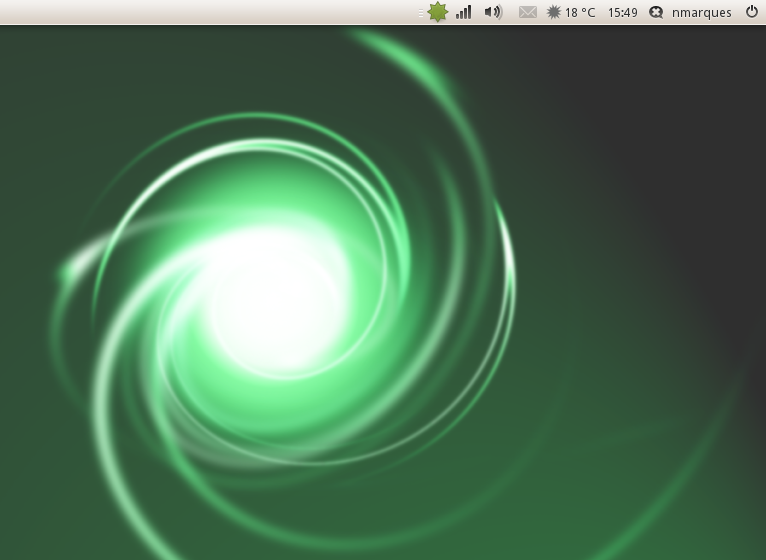 |
使用 Radiance Light 主题和默认 Ubuntu 指示器布局的截图。
关于将 Ayatana 项目软件引入 openSUSE 的一些简要更新
- 软件更新
Canonical 最近发布了一批更新,带来了新的功能(指示器似乎现在响应更快)和非常好的改进,其中一些是由下游者贡献的。根据我的经验,我冒昧地说 Canonical 作为上游者做得非常出色。我已经将所有软件包更新到最新版本。这允许我删除一些补丁。
- Unity
Unity 现在更近一步了。对于 Unity,我开始打包 Compiz git 快照,这些快照来自 Unity 文档中指向的正确分支。这给我带来了一些新的东西,cmake。我非常缓慢地做这件事,同时阅读了一些关于 cmake 的文档。我对 Compiz 的打包主要基于 OBS X11:Compiz 仓库,所以大部分功劳应该归功于原始项目打包者,他们做了一件很棒的事情。目前我缺少 3 个软件包来测试 Unity。最近,随着内核和 mesa 的更新,openSUSE Factory 用户中的 ATI 硬件问题似乎已经修复,这使我能够现在正确地测试 Unity 并检查它与 openSUSE 的集成。
Unity 默认使用 Ayatana 的指示器,如果它们不存在,它将回退到 GNOME 的 applet。这非常好,我很感谢 Canonical 这样做了。这为非 Ubuntu 用户带来了几乎没有麻烦的 Unity 体验,因为实现 Unity 实际上不需要太多补丁。
- GNOME:Ayatana 仓库
GNOME:Ayatana 仓库将在未来两周内填充最新的更改,并提供 Ayatana 的指示器和 Unity。我目前正在处理 libappindicator 堆栈及其指示器。目前我正在测试 GTK+ 堆栈所需的补丁,这是进入 #STAGE2、打磨和填充 GNOME:Ayatana 之前的最后一个障碍。
尚未决定 Factory 中将提供哪些软件包。我的愿望是只将 Unity 推送到 Factory 及其依赖项,这可能无法在 11.4 中实现,因为我不确定冻结时间表,可能已经太晚了。但是,由于我们依赖 Compiz 上游,所以让我们看看会发生什么。即使 Unity 不可用在 Factory 中,我确定我们可以使用 KIWI 或 SUSE Studio 发布一个小的 openSUSE Unity Spin。
我也决定我 不会 像以前那样希望在 Ubuntu 官方发布之前在 openSUSE 中看到 Unity,我祝愿 Ubuntu 一切顺利。
从一开始我就尽可能地使用 pkg-config。根据我之前收集的一些信息,这将非常适合跨发行版构建。根据时间和完成的工作,我可能会进行必要的修改并启用此项目的跨发行版构建,从而使其可用于 OBS 支持的其他 RPM 发行版。这需要进行一些测试,因此它将在 11.4 发布及其生命周期后完成。也许在 openSUSE 12 发布的时候,我们也会为其他基于 RPM 的发行版提供这个项目。我不知道 Debian 打包,但 Ubuntu 提供了这个软件,Debian 可能也有,所以…这不会有问题。
- 艺术作品
我正在提供 GNOME:Ayatana Ubuntu 的 Light 主题(Ambiance 和 Radiance),并提供一个修补的 Metacity 版本,该版本可以完美地渲染这些主题。我没有更改主题的原始颜色或以任何方式修改它们。所以它们可能比绿色更橙色。
我联系了一些人,询问他们是否愿意捐赠一些艺术作品来制作一个包含壁纸的小包,有些人回答了是,所以我将制作一个包含一些传统分辨率壁纸的小包,并像往常一样将其与此软件一起分发为可选的。
- GTK2、GTK3 和 QT
GTK3 的实现将在未来几天完成,因为我也考虑为 KDE 用户启用 QT 支持(目前仅支持指示器)。
这就是过去几天的工作成果……未来会有更多新闻。
 openFATE Team
最受欢迎的功能
**获得最高票数但尚未有人分配的特性。我们正在寻找志愿者来实施。**
** 并行运行下载和安装(分数:334) **
“网络安装可以通过并行运行软件包下载和软件包安装来改进。”
** 查看 plymouth 以获得启动时的 splash(分数:166) **
“我原本想为这个打开一个 fate 特性,当我第一次听说 plymouth 时,但阅读 //fedoramagazine.wordpress.com/2008/10/21/interview-fedora-10s-better-startup/ 真的让我觉得我们应该走这条路。
Ray 的评论以“启动过程中的每一次闪烁和模式切换都会降低整体体验”开头,尤其有趣。跟踪“默认不显示 grub”是否可以放在这里?”
** 一键卸载(分数:134) **
“一种简单的方法来卸载软件!”
“例如:你使用“一键安装”安装了一个应用程序(这将安装你所需的所有软件包),应该有一种简单的方法(也只需单击一次)来删除使用该一键操作安装的内容……换句话说:一个“一键卸载”来删除已安装的软件(包括依赖项和软件包)。”
** Sax2 的替代品(分数:106) **
“我们需要一个 sax2 的替代品,作为一种安全措施,以防自动配置无法检测到某些显示器/键盘/鼠标。 (…)”
** 人气竞赛(分数:84) **
“我们需要对用户偏好和积极使用的软件包进行反馈。Debian 已经有一个名为 Popularity contest (popcon) 的工具(…)”
** 离线一键安装(Linux 的 MSI)(分数:69) **
“社区成员 Raúl García 的想法。与 Windows 的 MSI 软件包相同的概念,但利用 openSUSE 的一键安装概念(因此继承了简单性、代码和安全性。 (…)”
** YaST-Qt:更具信息量的“安装摘要”(分数:64) **
“YaST Qt 软件包管理器应该在“安装摘要”视图中提供尽可能多的信息,就像 zypper 一样,尤其是预期的总下载大小以及执行操作后将释放/使用的磁盘空间。”
** 不太吓人的 YaST 冲突对话框(分数:50) **
“YaST2 sw_single 对话框中的冲突、供应商更改、体系结构更改等非常吓人。
该对话框要求用户为每个问题选择通常提供的三个解决方案之一,而没有提供太多的帮助。这是许多投诉的原因之一,并导致了 RPM 依赖地狱仍然存在的神话。 (…)”
最近请求的功能
上周新请求的功能。 如果您感兴趣,请投票和/或评论。
** Akmod Equivalent for openSUSE **
与 11.4 相关,而不是与 Tumbleweed 相关。
Fedora 有一个非常棒的工具叫做 Akmod 或自动内核模块,它会在启动时为新的内核构建 kmods,如果没有 kmods,或者使用 openSUSE 的术语 kmps。由于我们现在有了 openSUSE 的滚动发布版:Tumbleweed,这种功能比以往任何时候都重要。除非有计划每次 Tumbleweed 有新内核时都重新构建 kmps。这似乎不是 Nvidia kmp 的情况,它仅支持高达 2.6.34 系列。
** 简单的默认文件共享配置(类似于 Ubuntu/MacOSX) **
默认情况下为每个帐户启用简单的共享和 Dropbox 文件夹。
家庭网络文件共享应该对家庭用户来说很容易。Ubuntu 以一种非常优雅的方式做到这一点,具有简单的共享和权限管理。大多数发行版中的当前工具非常令人困惑,几乎无法使用,包括 OpenSUSE。我建议像 Ubuntu/Kubuntu 中使用的技术一样克隆 samba 等。
** 通过 YaST 更改 MAC 地址 **
YaST 无法更改 MAC 地址。现在,要更改此地址,需要执行 ifconfig eth0 hw ether 00:00:00:11:22:33。我认为这不符合 SUSE 的方式。
更改 MAC 地址可能很简单。使用 YaST。
** 主题(SuSE-Elegant?) **
如何将默认主题更改为 Cristian Rodriguez 的 SuSE-Elegant?请参阅 //kde-look.org/content/show.php/SuSE+Elegant?content=117251 + 其中的外观链接。
至少提供一个包来简单地更改各种 grub/boot/kdm/kde 屏幕会很不错。
** 如果安装了声卡,则默认禁用系统铃声 **
安装 openSUSE 后我做的第一件事就是通过将以下内容添加到 ~/.inputrc 来禁用系统铃声
set bell-style none
它的音量不必要地很高。每次我在命令行中退格太多时,铃声都会吓到我。
我的建议:默认禁用系统铃声,除非未安装声卡。
** 11.4 中的 xfce 4.8 **
将新的 xfce 4.8 引入 openSUSE 11.4。
** 整合 faillog、pam_tally、pam_tally2、pam_faillock **
有四种不同的方法来跟踪失败的登录次数并对此做出反应:faillog、pam_tally、pam_tally2、pam_faillock。它们彼此不兼容,并且几乎不可能配置。
目标:编写一个新的模块“pam_faillog”,它将取代所有这些模块。应该能够读取所有当前数据库,支持所有功能,但使用高级 PAM 功能使配置非常容易。
该模块依赖于调用应用程序的正确行为,这意味着我们需要检查应用程序是否行为正确,并可能修复它们。
** 使用 –enable-glx-tls 编译 Mesa 和 x-server **
大多数著名的 Linux 发行版都在编译 Mesa 和 x-server 时使用 –enable-glx-tls。
功能统计
openSUSE 11.4 的统计信息 在 openFATE 中
 测试团队
测试团队
** Larry Finger:1 月 1 日每周新闻 **
下一次测试核心团队 IRC 会议尚未安排,但我预计如果 M6 下周发布,会议将在 2011 年 1 月 31 日举行。
还有一些问题需要修复才能发布 M6。Stephan Kulow 列出了它们:
阻止问题(针对 M6)
-
/etc/mtab 仍然不正确(在安装期间被 yast 破坏 bnc#665437)
-
艺术作品是一种糟糕的混合,这是最后一次里程碑(bnc#665439)
-
i586 上的内核仍然出现问题(bnc#660464)
次要问题(针对 M6)
 翻译团队
翻译团队
**Javier Llorente:马德里 KDE 发布派对,第二版 **
我们将一起共进午餐,庆祝 KDE 4.6 的发布 :D
快来加入我们吧!肯定会很有趣 ;-)
| 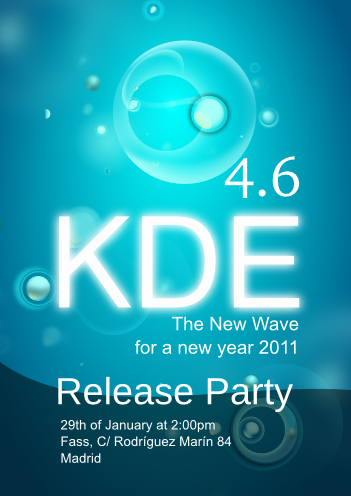 |
日期/时间:1 月 29 日下午 2:00
地点:Fass C/Rodríguez Marín 84。 地图
(平行于 Paseo de la Castellana,靠近 Santiago Bernabéu)
Concha Espina 如果您要来,请在 [//community.kde.org/Promo/ReleaseParties/4.6#Madrid](//community.kde.org/Promo/ReleaseParties/4.6#Madrid) 上添加您的姓名 PS:感谢 Eugene 和 Nuno 的海报 :D **[Jos Poortvliet:LCA - 我来了!](//nowwhatthe.blogspot.com/2011/01/lca-here-i-come.html)** 更个人地说,下周我将参加 [Linux Conf Australia](//lca2011.linux.org.au/)!幸运的是,布里斯班周围的恶劣天气并没有使会议无法按计划进行。我现在正在完成注册,并且已经安排了旅行。我将与 Graham Lauder 一起参加,他是新西兰 openoffice.org 的联系人和 openSUSE 的粉丝。我们将在周六的开放日设置展位,任何人都可以找到我们并了解更多关于 openSUSE 的信息。因此,该地区的任何 openSUSE 用户和贡献者:请来找我们!哦,对于有博客或其他网站的每个人:你可以在这里找到 [openSUSE 11.4 倒计时](//en.opensuse.net.cn/openSUSE:Countdown)! **[Kostas Koudaras:存在即是行动,行动必须有趣...](//e-tote-kala.blogspot.com/2011/01/to-be-is-doto-do-has-to-be-fun.html)** 近几天,希腊 openSUSE 社区占据了我大部分时间,因为一些努力工作的成员是大学生,并且这里是考试季,所以我不得不给他们减少或不给他们工作,并且有人应该取代他们,这样就不会出现社区工作落后。本周我们完成了,并且仍然按计划进行。我们发布了 [希腊版每周新闻](//el.opensuse.org/Weekly_news)。不幸的是,我觉得我有点落后于营销团队的工作,但我会赶上的 ;-) 。 ...但另一方面,本周我有机会开始撰写一篇关于 [Project Evergreen](//www.rosenauer.org/blog/2011/01/03/opensuse-project-evergreen/) 的希腊文章,这篇文章引起了我的注意,并且我有一些关于我们如何推广它的想法。我联系了 [Wolfgang Rosenauer](//www.rosenauer.org/blog/),以便获得他的个人意见和一些指导,并联系了 Stratos Zolotas,来自希腊社区,他在 2 台台式机和 1 台服务器上进行了一些 Evergreen 项目的错误测试。这是一个非常有趣的项目,也是另一个表明 openSUSE 社区的人们拥有创造和发展自己的社区项目的自由意志。后者献给那些认为 openSUSE 社区是企业奴隶的人... 另外一件事是我本周变得更加积极的 openSUSE 贡献者,通过进入希腊本地化团队,甚至创建了一个 [BerliOS 帐户](//developer.berlios.de/)。老实说,现在这不是我的本意,但由于我想翻译 [WebYaST](//doc.opensuse.net.cn/products/other/WebYaST/webyast-user/) 用户手册,所以它出现了。我对这项工作感到非常兴奋,因为它比我预期的要令人兴奋得多。当然,我仍然有一些困难,但对我来说就像一个新玩具,我过去两天花了很多时间在它上面。我还加入了 [openSUSE connect](https://connect.opensuse.org/) 。我属于那些不喜欢 Facebook 的少数人之一,这就是为什么我没有在那里注册帐户的原因,正如 Stathis 告诉我的那样,这是“蜥蜴 Facebook”,没有农场游戏和所有其他令人讨厌的应用程序。嗯,我觉得我喜欢它... 我现在正在尝试找到方法使其成为一个有用的工具,以便我们开始变得富有成效和创造力。我建议你们都去看看。除此之外,还有选举部分... 我通过所有的程序发现了很多人。我意识到很多人认为我会放弃我所做的一切来支持我的竞选活动。我希望我能证明他们是错的。请理解,选举结束后生活中没有什么会发生戏剧性的变化。正如我多次说过的那样,我更喜欢行动而不是其他一切,我的立场写在 [我的竞选平台](//en.opensuse.net.cn/openSUSE:Board_election_2010_platform_warlordfff) 中。有时什么都不做也是一种行动。 ### 活动与会议 **过去** * [2011 年 1 月 20 日:openSUSE GNOME 团队会议](//news.opensuse.net.cn/2011/01/11/opensuse-gnome-team-meeting-22/) **即将到来** * [2011 年 1 月 24 日:Hackweek VI](//news.opensuse.net.cn/2011/01/19/hackweek-vi-2/) * [2011 年 1 月 27 日:openSUSE KDE 团队会议](//news.opensuse.net.cn/2010/05/13/%ef%bb%bfopensuse-kde-team-meeting/) * [2011 年 1 月 31 日:第 21 次 openSUSE 测试核心团队 IRC 会议](//news.opensuse.net.cn/2011/01/20/21st-opensuse-testing-core-team-irc-meeting/) 你可以在这里找到更多关于其他活动的信息:[openSUSE 新闻/活动](//news.opensuse.net.cn/category/events/)。 - [本地活动](//en.opensuse.net.cn/openSUSE:Ambassadors_events) ### 供你聆听的 openSUSE openSUSE 每周新闻以直播或播客的形式提供德语。你可以在 [Radiotux](//blog.radiotux.de/podcast) 上收听或下载它。 ### 沟通 * [邮件列表](//lists.opensuse.org/) * [openSUSE 论坛](//#) ### 贡献者 * [用户目录](//users.opensuse.org) ## openSUSE 上的新/更新应用程序 **[Andrew Wafaa:委员会 - 为你的喜好打包](//www.wafaa.eu/entry/the-board---packaged-for-your-pleasure-1-50.html)** 不,我不是指这个 [委员会](//en.opensuse.net.cn/Board) - 我说的是 GNOME 爱好者 [Lucas Rocha](//lucasr.org/) 的很棒的项目 - [The Board](//live.gnome.org/TheBoardProject)。软件包有一个小问题 - 目前它仅适用于 openSUSE Factory/11.4。我需要努力将一些闪亮依赖项回溯到 11.3。事情并不完美,因为我需要对软件包进行一些小的清理,但对于 0.1.0 版本来说,它工作得很好 ;-) (...) **[Packman:cclive 0.7.1-1.pm](//packman.links2linux.org/package/cclive)** “cclive 是一个命令行视频提取实用程序,类似于 clive,但侧重于低要求。它的功能很少且基本。cclive 旨在为喜欢轻量级和“快速”程序的用户服务。它是用 C 编写的,并且依赖于 libcurl。cclive 具有许多相同的功能,但在此过程中做了一些妥协,以降低先决条件。” **[Holger Hetterich:SMB 流量分析器 1.2.2 发布](//holger123.wordpress.com/2011/01/20/smb-traffic-analyzer-1-2-2-released/)** 在一些不在我们计划中的延迟之后,我们很高兴地宣布 [SMB 流量分析器](//holger123.wordpress.com/smb-traffic-analyzer/)(以下称为 SMBTA)版本 1.2.2,为桌面带来了一大堆新功能和错误修复。首先,你可能难以置信的是,SMBTA 实际上获得了一些艺术作品,正如我们在此处报道的那样。:) **版本 1.2.2** 包括这些图形以及 SVG 源代码。感谢 Sirko!
|  |
SMBTA 已安装在与 Linux 完全不同的系统上。在某些情况下,如果所需的库可以包含在 SMBTA 中,事情可能会更容易。所以我们为 sqlite 做了。如果找到共享 sqlite 对象,并且版本为 3.7.0 或更高版本,将使用它们,否则 SMBTA 将编译 3.7.4 [sqlite 的 Amalgamation 构建](//www.sqlite.org/amalgamation.html),该构建包含在 smbtad 和 smbtatools 中 (**bnc#662186**)。通过指定环境变量,用户也可以强制进行 amalgamation 构建,即使可用共享库也是如此。由于 sqlite 的 amalgamation 构建基本上是在单个 c 文件中的 sqlite,与通常的 sqlite 构建相比,大多数编译器可以更好地利用优化。我们正在努力解决使 SMBTA 不仅仅将其结果输出到文本模式终端的可能性。 **图 1。运行“global, top 10 files rw”,及其 HTML 输出**
|  |
决定使用 XML 驱动 smbtaquery 的输出 - 用于查询 SMBTA 数据库的主要程序 - 从而使我们获得最大的灵活性。因此,smbtaquery 程序默认生成 XML,并使用 XSLT 处理器 [**libxslt 库的 xsltproc**](//xmlsoft.org/XSLT/) 自动将输出转换为 HTML 或 ASCII 文本。图 1,“运行“global, top 10 files rw”,及其 HTML 输出” smbtaquery 的所有函数都支持这两种格式。SMBTA 包含用于生成输出的样式表,用户可以在命令行中选择首选输出格式。smbtaquery 中的 HTML 支持是我们创建 SMBTA 的基于 Web 的用户界面的计划的核心 (**bnc#659326**)。 **图 2。“用法”函数输出的 HTML 片段**
|  |
SMBTA 1.2.2 扩展了整个软件套件的 128 位 AES 加密。所有工具、smbtad 和模块现在都可以相互加密地通信。以前的版本只有从 VFS 模块到 smbtad 才能实现这一点。为了支持最终用户,smbtaquery 已扩展为生成可与 smbtad 一起使用的 128 位密钥。smbtad 守护程序支持两个不同的密钥,以允许不同用户组运行 smbtatools (**bnc#599644**)。一个长期存在的问题终于解决了。图 2,“用法”函数输出的 HTML 片段” 我们在我们的测试套件 - smbtatorture - 中投入了大量精力,以便增强 [SMBTA 压力测试设备](//holger123.wordpress.com/2010/12/23/smbta-stresstest-0-0-1-released/)。首先,smbtatorture 进程现在创建目录和文件名,这些目录和文件名比以前使用的目录和文件名更有意义(以前只是从用户名和数字生成的),以产生更逼真的结果 (**bnc#653618**)。此外,我们致力于支持同一共享上的多个 smbtatorture 实例。创建了一个小型控制服务器“smbtatorturesrv”,用于分发唯一的的文件名,以确保网络上运行的任何 smbtatorture 进程都不会选择与另一个进程相同的文件名。smbtatorturesrv 是基于互联网套接字的,因此 smbtatorture 进程可以从任何地方连接到它。 **图 3。SMBTA-指南的片段。我们将努力在有意义的地方获得更多的插图。**
|  |
这个程序将会被扩展,以构成一个控制实例,用于连接 smbtatorture 进程,显示统计信息和健康状况信息。 我们将在即将发布的 [SMBTA Stresstest](//holger123.wordpress.com/2010/12/23/smbta-stresstest-0-0-1-released/) 版本中实现 1.2.2 版本中引入的功能。 图 3,“SMBTA-Guide 的片段”。 我们将努力在有意义的地方添加更多插图。 在文档上,**可能 SMBTA 最无关紧要的部分** :),它已经被完全审查,并进行了许多设计更改。 所有关于加密的内容都被移除,并形成了一个单独的新章节,阐述了加密在软件套件的所有部分中的工作方式。 smbtatorture 和 smbtatorturesrv 的所有新功能都已记录在案。 我们添加了描述性插图和图表到文档中。 (**bnc#664823**)。 当然,我们还更新了 [此文档的在线版本](//morelias.org/smbta/smbta-guide.html)。 哦,等等,[openSUSE’s BuildService](//build.opensuse.org/) 已经消耗了 SMB Traffic Analyzer 1.2.2。 我们将在未来几天向 openSUSE Factory 和 Tumbleweed 提交软件包。 您可以在 [下载页面](//holger123.wordpress.com/smb-traffic-analyzer/smb-traffic-analyzer-download/) 上下载 SMB Traffic Analyzer。 要获取有关 SMB Traffic Analyzer 的更多信息,[请访问它的主页](//holger123.wordpress.com/smb-traffic-analyzer/)。 **[Petr Mladek: LibreOffice 3.3 rc4 可用于 openSUSE](//lizards.opensuse.org/2011/01/21/libreoffice-3-3-rc4-available-for-opensuse/)** 我很高兴地宣布,LibreOffice 3.3 rc4 软件包可在 Build Service 的 [LibreOffice:Unstable 项目](//download.opensuse.org/repositories/LibreOffice:/Unstable/) 中获得。 它们基于 [libreoffice-3.3.0.4](//cgit.freedesktop.org/libreoffice/build/plain/NEWS?id=libreoffice-3.3.0.4) 版本发布。 请查看 [wiki 页面](//en.opensuse.net.cn/OpenOffice.org) 上有关 openSUSE LibreOffice 构建的更多详细信息。 这些软件包基于 LibreOffice 候选发布源。 然而,它们包含了一些来自旧 Go-oo 项目的附加组件。 它们尚未通过完整的 QA 轮测试,并且可能包含严重的错误。 因此,它们不适用于数据关键型用途。 一个好的做法是在使用之前存档任何重要数据…… 像往常一样,我们恳请任何感兴趣的 beta 测试人员尝试该软件包并 [报告错误](//en.opensuse.net.cn/openSUSE:Bugreport_OOo) 给 LibreOffice 产品。 **已知错误**:* 一些软件包未重命名,例如 OpenOffice_org-thesaurus,…;它们不是从主 LibO 源代码构建的;我很快就会这样做。 * SLED10 构建不可用;需要更多关注。 **更多已知错误**:* [Free Desktop bugzilla](//alturl.com/dmqve) * [Novell bugzilla](//alturl.com/qaq5) **其他信息和计划**:首先,我很抱歉我没有宣布两个较早的构建版本。 我在圣诞节前发布了 rc2 构建版本,但由于匆忙,宣布被遗忘了。 构建 rc3 存在问题。 它只在一个 rc4 发布的前一天准备好,所以宣布它没有意义。 仍然可能存在一些需要修复的 openSUSE 特定的错误。 我希望它们不会破坏基本功能,但我会继续使用来自稳定 libreoffice-3-3 分支的更多修复来生成新的构建版本。 一旦我们完成对所有 SUSE 特定附加组件的测试,我将软件包移动到稳定的项目。 这应该会在未来几周内发生。 请耐心等待并感谢您的理解。 ## 安全更新 要完整查看安全公告,或在发布后立即收到它们,请参阅 [openSUSE 安全公告](//lists.opensuse.org/opensuse-security-announce/) 邮件列表。 ## 内核回顾 ** [Rares Aioanei: Kernel Weekly News – 22.01.2011](//schaiba.wordpress.com/2011/01/17/kernel-weekly-news-22-01-2011/) ** 大家好,欢迎来到 2011 年的 KWN 第一期! 长篇大论不好玩,所以让我们直接进入主题吧! 本周新闻从 Dan Williams 开始,他有一个关于 .38 的 pull request,涉及 async_tx 树:你好 Linus,请从以下地址拉取:git://git.kernel.org/pub/scm/linux/kernel/git/djbw/async_tx.git next ...以接收:1/ Russell 对 amba-pl08x 驱动程序进行了全面修改,他发现这个实验性驱动程序中存在许多应该在初始合并之前发现的问题。 2/ fsldma、dma40、intel-mid 和 iop-adma 中一些小的更新和修复。 除了最后两个 amba-pl08x 补丁之外,所有补丁都已出现在 -next 版本中。 谢谢,Dan -Dave Airlie 有一些 drm 修复,这些修复的描述如下:大家好,btrfs-unstable git 树的 for-linus 分支:git://git.kernel.org/pub/scm/linux/kernel/git/mason/btrfs-unstable.git for-linus 包含我们为 2.6.38-rc1 准备的功能和修复。 git 树实际上是针对 2.6.36 的,这些提交已经在 .36、.37 和 Linus 的当前 git 上进行了测试。 .36 部分没有特别的原因,只是我的一个构建盒子正在运行它。 此时间段的亮点是 Li Zefan 的 LZO 压缩以及 Miao Xie 的大量关于多设备修复。 Liubo 启动了我们的强制只读支持,这将是消除大量 BUG_ON 并用更友好的错误消息替换它们的基础。 Li Zefan 还添加了只读快照支持,我将在本周集成相应的 btrfs-progs 更改。 此 pull 包含一个 Linus 已经包含在他树中的 btrfs ctree.c 构建修复的重复项。 Git merge 似乎对这个做了魔术,它在不执行重复 #include 的情况下应用。 此外,我们还有来自 Roland Dreier 的 infiniband 相关请求,最后但并非最不重要的是,Al Viro 再次进行 autofs 清理和修复。 - 仍然在更新/pull request 区域,这里有一个列表:* Kukjin Kim – linux-samsung 树 * Arnaldo Carvalho de Melo – perf/urgent * Greg Ungerer – m68knommu * Michal Simek – arch/microblaze 修复 2.6.38 * James Bottomley – PARISC 修复 2.6.38-rc1 * John W. Linville – 针对 .38 的无线树修复 * Guenter Roeck – hwmon 更改 2.6.38 和 * Len Brown 为 2.6.38-merge 提供的 ACPICA 补丁。 (...) ## 技巧和窍门 ### 对于桌面用户 ** [Sankar P: 在 GNOME 桌面中显示/隐藏文件和图标](//psankar.blogspot.com/2011/01/showhide-files-and-icons-in-gnome.html) ** 我之前写过 webilder,它会为您的 Linux 桌面提供来自 flickr 的惊艳随机壁纸。 我习惯于让桌面上的文件、截图和文档数量变得很大。 一旦它们达到临界数量,我就会清理文件。 但因为我有很多文件,美丽的壁纸有时无法清晰显示。 我觉得应该有一种方法来切换显示桌面上的文件,结果发现确实有这种方法。 * 步骤 1:启动 **gnome-keybinding-properties** * 步骤 2:单击底部的“添加”按钮,在结果对话框中,在“名称”字段中键入“隐藏桌面图标”,对于“命令”字段,键入:gconftool-2 -s --type boolean /apps/nautilus/preferences/show_desktop false * 步骤 3:再次单击“添加”按钮创建另一个键绑定,这次创建“显示桌面图标”项。 此命令将是:gconftool-2 -s --type boolean /apps/nautilus/preferences/show_desktop true * 步骤 4:为这两个命令设置自定义键盘快捷键。 我在本例中使用了 Alt+F11 和 Alt+F12。 ### 注意 **更新**:您可以使用以下命令并使用一个键盘快捷键:gconftool-2 --toggle /apps/nautilus/preferences/show_desktop
|  |
现在您可以按下一个键来切换(显示/隐藏)您的桌面图标,并享受您的干净壁纸。 ** [OMG! SUSE! Team/rtyler: 在 openSUSE 上安全浏览](//omgsuse.com/content/surfing-securely-opensuse) ** 对于经常在旅途中的 openSUSE 用户,在随机机场/咖啡馆/大学无线热点上的网络流量安全可能成为一个大问题。 即使使用 WPA2 或 WEP 加密,如果未加密,您的流量仍然可能不安全且对热点所有者可见。 对于某些网站,您可以尝试确保始终使用其 HTTPS 版本,但您必须信任网站所有者已正确实施其加密,并且不会无意中将您的数据泄露给流量的第三方观察者。 如果您有幸拥有提供 VPN 服务的 ISP,例如 Sonic.net,您可以使用 VPN(虚拟专用网络)来加密您与 VPN 端点之间所有流量。 ### 注意 您也可以使用独立的 VPN 提供商,例如 SuperVPN,但您应该确定您可以信任他们。 以下是使用基于 IPSec 的 VPN 与 NetworkManager 在 GNOME 和 KDE4 下的逐步屏幕截图指南。 (...) ** [Andrew Wafaa: 倒计时到新的 Geeko,并获得一些机器人帮助](//www.wafaa.eu/entry/counting-down-to-the-new-geeko-with-some-robotic-help-1-54.html) ** 很多人都知道,我有一些 Android 设备,我知道很多其他的 openSUSE 爱好者也有机器人供电的设备。 我决定有一天午休时间尝试做一些事情 - 创建一个显示 11.4 版本发布倒计时天数的小工具。 是的,我知道这并不是一个改变地球的应用,但我不是一个代码猴子,所以我生成的任何有效代码对我来说都是一个巨大的进步 ;-) 我的午餐项目受到了 Ubuntu 上有人做同样事情的启发。 我使用了这个教程来帮助我入门。 现在我向您介绍 oSRCD - openSUSE Release CountDown。
|  |
It isn't perfect, but it is a start, so if there is anyone that is a bit more able in the ways of Android programming or artwork then please join in :-) You can grab the source code from github or the .apk for manual install. And as it's a mobile app here's the QR code: (...) ### For Commandline/Script Newbies ** [Unixmen/Zinovsky: Useful commands for daily use](//www.unixmen.com/linux-commands/1459-useful-commands-for-daily-use) ** “Under Linux there are graphical user interfaces (GUIs), where you can point and click and drag, and hopefully get work done terminalwithout first reading lots of documentation. The traditional Unix environment is a CLI (command line interface), where you type commands to tell the computer what to do. That is faster and more powerful, but requires finding out what the commands are.” -man intro- Find in this post a list of some useful commands for this week. - **Download a file and uncompress it while it downloads** $wget //URL/FILE.tar.gz -O - | tar xfz - - **If you play loto, try this command to generate the 6 numbers :** $echo $(shuf -n 6 -i 1-49 | sort -n) - **To get the CPU temperature continuously on the desktop** $while :; do acpi -t | osd_cat -p bottom ; sleep 1; done & - **Search for large files and show size and location.** $find . -size +100000k -exec du -h {} \; - **Get a random Command** $ls /usr/bin | shuf -n 1 This is useful if you want to explore various random commands. More commands : - **Bash logger :Log everything from a bash script to a file** $script /tmp/log.txt - **Using NMAP to check if a port is open or close** $nmap -oG - -T4 -p22 -v 192.168.0.254 | grep ssh - **Get the IP of the host your coming from when logged in remotely** $echo ${SSH_CLIENT%% *} ### For Developers and Programmers ** [ServerWatch/Joe Brockmeier: Setting Up Linux Cgroups](//www.serverwatch.com/tutorials/article.php/3921001/Setting-Up-Linux-Cgroups.htm) ** [Last week's column](//www.serverwatch.com/tutorials/article.php/3920051/Introduction-to-Linux-Cgroups.htm) introduced Linux Control Groups (or cgroups), a feature initially developed to limit resource usage in the Linux kernel. But it can do much more, including tweak memory, bandwidth and CPU usage of system processes as well as deny access to system resources. This week, let's delve a bit deeper and actually set up and manage a cgroup. (...) ** [IBM developerWorks/Paul Ferrill: Scripting the Linux desktop, Part 1: Basics](//www.ibm.com/developerworks/linux/library/l-script-linux-desktop-1/index.html) ** This series of articles explores how to use Python to create scripts for the GNOME desktop, the screenlets framework, and Nautilus to deliver a highly productive environment. Scripts on the desktop enable drag-and-drop functionality and quick access to the information and services you commonly use. In this installment, learn how to build a desktop application using the screenlets widget toolkit. (...) ### For System Administrators ** [Jean-Christophe Baptiste: Corrupted virtual disk with VMware ](//www.phocean.net/2011/01/16/corrupted-virtual-disk-with-vmware.html) ** Wow, this article and especially one of its comments saved my day. My computer crashed and one of the VMware machine hosted on it could not start anymore : “Cannot open the disk ‘path of vmdk’ or one of the snapshot disks it depends on. Reason: the specific virtual disk needs repair. Checking on the VMware forums, I quickly found the command that was supposed to help : $ vmware-vdiskmanager -R /path/to/disk.vmdk The virtual disk, '/path/to/disk.vmdk', is corrupted but the repair process has failed. Damned ! I almost resigned restoring the last backup and loosing a week of work when, by chance, I found the article mentioned above. As recommended, I downloaded the Virtual Disk Development Kit 1.2 from VMware, untared it and still doubtfully launched : $ ./bin64/vmware-vdiskmanager -R /path/to/disk.vmdk The virtual disk, '/path/to/disk.vmdk', was corrupted and has been successfully repaired. Saved! Thanks so much to the guys. I would have never thought about trying it, I wonder how they could find it. But how is it possible that the utility coming with vmware workstation 7.1 such so much and is not on par with other versions ? (...) ** [Stefan Seyfried: Increasing the X resolution for KVM guests](//seife.kernalert.de/blog/2011/01/17/increasing-the-x-resolution-for-kvm-guests/) ** Today I wondered again, why my KVM guests get only 800×600 display resolution, even though the framebuffer console is configured for 1024×768. While most of the time this does not matter for testing, it does once you want to evalutate desktop environments or such in a VM. I checked the xorg log file and found, that the Cirrus card emulation apparently has no DDC channel implemented, thus cannot detect the monitor and then X.org falls back to a plain SVGA monitor. From the logfile: Using default hsync range of 31.50-37.90 kHz Using default vrefresh range of 50.00-70.00 Hz Simply setting those ranges to something reasonable (I got my values from “**hwinfo --monitor**“) helps quite a lot. Put this into /etc/X11/xorg.conf.d/50-monitor.conf: HorizSync 31 - 61 VertRefresh 50 - 90 and you get a much more usable 1024×768 resolution. ** [Matthias Hopf: Restricting Linux kernel configure options to currently used set](//emmes.livejournal.com/8382.html) ** git is great for bisecting regressions (or finding a fix in a series of commits) - but compiling the kernel can take ages, especially if you have to do it on an Atom, and with the configuration of your favorite distribution... Now finally I created a perl script for reducing the default config to the set of modules that are currently actually loaded. Reduces kernel compilation times on a quad core machine from 56 minutes to 6 for a standard SLED kernel Guess it's even more difference on this !@#$% Atom... # cd /var/tmp/linux-2.6 or wherever your git tree is located # gunzip </proc/config.gz >.config to get the current configuration # make oldconfig to add new options for current kernel # ~/linux-adaptconfig.pl >.config.new to remove all not required options # mv .config.new .config # make oldconfig to be on the save side... # make -j5 build, mother*beep*, build :-) Yes, it's a hack. No, it's certainly not perfect. But it might be exactly what you had been waiting for. I waited long enough to actually write it myself... ** [Linuxaria: 6 Tricks with awk](//www.linuxaria.com/article/6-trucchi-con-awk?lang=en) ** Awk has always been for me a source of great hatred and love, isan incredibly powerful command with which it is possible to build real programs. In this article I will give you 6 examples ready for use with your preferred terminal. AWK is a data driven programming language designed for processing text-based data, either in files or data streams. It is an example of a programming language that extensively uses the string datatype, associative arrays (that is, arrays indexed by key strings), and regular expressions. (...) ** [Ludwig Nussel: Configuring an IPv6 DSL connection](//lizards.opensuse.org/2011/01/19/configuring-an-ipv6-dsl-connection/) ** The German company rh-tec offers free IPv6 internet connections for people that already have T-DSL. Configuring such a connection on openSUSE 11.3 is not as straight forward as with IPv4. It’s not hard either if you know where to put the settings though. 1. start the yast2 DSL module 2. follow the instructions of the wizard to set up a new PPPoE device. Enter your user name and password at the provider screen. 3. At the “Connection Parameters” screen uncheck “Automatically Retrieve DNS”. Enter an arbitrary IPv4 address as first DNS server (yast doesn’t accept IPv6 there yet, bug 665516). 4. finish the wizard and leave yast 5. open /etc/sysconfig/network/providers/provider0 (or whatever name was chosen by yast) in an editor 6. change DNS1 and DNS2 to the actual IPv6 addresses of your provider’s name servers 7. add the following line to the file: PPPD_OPTIONS="noip +ipv6 ipv6cp-accept-local" 8. save and quit 9. Done! You may now use cinternet or qinternet to dial in and enjoy the (rather empty) IPv6 internet. ## Planet SUSE ** [Sebastian Kügler: open-slx end-user platform announced](//vizzzion.org/blog/2011/01/open-slx-end-user-platform-announced/) ** A couple of months ago at open-slx, when we (like so many times before and after) talked about how we can make the lives of Linux users easier, an idea was sparked. While there’s huge amounts of content out there, it struck us that there’s still a large number of people not being too well served when searching Google to get answers to your questions. This poses some problems though: First of all, most of the information is not in English. This poses an extra barrier for some, who might not be as fluent in English as we developers usually are. Then, the content is hard to verify: How do I *know* that the information given there makes sense? Maybe it will just delete all my erotic movies? ;) So the problem is that there’s little content for the German end-user audience, which is hard to verify. So a team consisting of openSUSE community members and open-slx employees led by my colleague Rupert Horstkötter has set out to fix this problem. They looked into existing solutions to these problem, and found that what is currently running as ubuntuusers.de comes closest to the solution we have in mind. We got in contact with the team at ubuntuusers.de, and they were enthusiastic about the idea and willing to make it happen. A good start. Then comes the real work of course. We’ve worked out a concept that allows us to provide a modern support tool for our users, which builds on two pillars: information and interaction. The concept we come up with puts this into three different tools: a wiki as knowledgebase, a forum to discuss articles, questions and to get in contact with other people, and a blog aggregation (Planet) which collects news about developments in openSUSE and howtos for specific topics. In order to accomplish this gargantuan task, we’ve asked for help in the openSUSE community. People were immediately enthusiastic about the idea, and started chipping in, helping to review and improve lots of articles. Over the past few months, we have reviewed about 2000 articles from the existing ubuntuusers.de [knowledgebase](//wiki.open-slx.de), prioritizing 500 of them, and adapted the articles to modern standards and that they apply to openSUSE. These 500 articles form the foundation for the knowledgebase we created for the open-slx community platform. We’ve also set up a [webforum](//community.open-slx.de) users can use to communicate and ask further questions, and we’ve put up a [blog aggregator](//planet.open-slx.de). So, if you’re a German-speaking user (or future user :)) of openSUSE, hop over to community.open-slx.de and see for yourself whether this new platform fits your needs (and if it doesn’t, let us know what we can improve). You can find the official announcement [here](//news.open-slx.de/2011/01/17/herzlich-willkommen-bei-community-open-slx-de/). (...) **[Nelson Marques: A brief update…](//lizards.opensuse.org/2011/01/17/a-brief-update/)** In the last days I’ve been leaving my full attention to Compiz and the famous glib main loop. I’ve made a small perl script to compare my local builds with the ones available on launchpad… nothing too fancy, but it seems to work. During the last days Canonical updated a lot of software. I’ve decided to start updating the on my test repository to the newer versions. A couple of new packages are required as dependencies (the most impressive one is utouch-evemu, which is a part of Canonical’s Multitouch uTouch stack). The number of updates is quite impressive, the number of patches (even on some new updates) is equally impressive… I’ve just realized that GTK+-2.0 has been subjected of a couple of fun patches and gobject-introspection is becoming mind crushing… Either way, the work continues, and unfortunately for me I was planning to do a small open beta phase for Factory users soon… but all this changes will require much more work and a lot of packages will have dependency lists updated. The next days free time will be spent around this massive update, I am sure it will pay off. If anyone is using my test repository on my home project, expect some turbulence during the next days. Since I’m on this, I’m already starting to enable GTK3 wherever I can do it in a safe way, nevertheless, it’s just to speed work for the time being, as much things are changing. **[Vincent Untz: Cross-distribution meeting on application installer](//www.vuntz.net/journal/post/2011/01/18/Cross-distribution-meeting-on-application-installer)** Back in October, at the [openSUSE Conference](//en.opensuse.net.cn/Portal:Conference), many people were interested in the whole app store/market place/software center topic for openSUSE: we had a session about that, and several hallway discussion. There is no big surprise here, since it's a hot topic for various [OS](//www.apple.com/mac/app-store/) [distributors](//www.neowin.net/news/microsoft-planning-039windows-store039-app-store-for-windows-8), and not just our free distributions. Of course, being lazy people, we discussed what we could re-use to minimize our work; the [software center](https://wiki.ubuntu.com/SoftwareCenter) used in Ubuntu and the [app-install](//blogs.gnome.org/hughsie/2010/09/07/linux-and-application-installing/) work that [Richard](//blogs.gnome.org/hughsie) did a while ago came to our minds. And then we thought: Hrm, why do this in our corner? Everybody is doing this in a corner. Let's see if we can work together! Obvious idea, right? But on the other hand, everybody is generally all for collaboration, but when it comes to do the work, it's easier to hack in a corner. So we didn't exactly know what to expect: is this something that can really happen, or is this just a blue-sky dream? I decided to give it a try. In the past couple of months, I chatted with people from various distributions to organize a cross-distribution meeting. I first talked to [Michael](//mvogt.wordpress.com/) (Ubuntu), and [Richard](//blogs.gnome.org/hughsie) (Fedora) who were both enthusiastic about the idea. I met [Stefano](//upsilon.cc/~zack/blog/) (Debian) at an [event in Toulouse](//www.toulibre.org/ubuntuparty), and we had a great chat about many topics; that lead me to ask him if we could help find some Debian people interested in this. I discussed with [Michael ](https://blog.misc.ephaone.org/)(Mageia) to find out the relevant people in Mageia, and a few people were interested in the topic. And of course, I knew the right openSUSE people ;-) So after a few weeks, it turned out there was great interest from Debian, Fedora, Mageia, openSUSE and Ubuntu, with people willing to attend such a meeting. I then sent out a mail to [distributions@fd.o](//lists.freedesktop.org/archives/distributions/2010-December/000408.html), to open this up to other distributions. Fast-forward a bit, and here we are today: I'm flying to Nuremberg in a few hours to attend this [cross-distro meeting on application installer](//distributions.freedesktop.org/wiki/Meetings/AppInstaller2011), that will occur in the next three days with a group of 14 people. The goals are to see where and how we can work together on the end-user experience as well as on the application metadata that we want to provide. It might all sound easy, but the fact is that with all distributions building its own packages, on its own infrastructure, with different metadata and different users who could create more metadata, we're currently not set to share anything, which is a shame. This meeting will help us decide where we can mutualize our efforts to provide the best end-user experience possible for everyone. Three days is a short time for a topic like this, and we obviously won't do everything we'd love to. But I'm optimistic about the result :-) Thanks to Novell for hosting and sponsoring a few attendees, to Canonical and Red Hat for sending people on their own budget, to Debian for helping sponsoring a last-minute attendee, and also to some attendees who didn't need sponsorship at all! **[Jos Poortvliet: Meetings](//nowwhatthe.blogspot.com/2011/01/meetings-stuff.html)** I just heard from Vincent that the [Cross-distro app installer](//distributions.freedesktop.org/wiki/Meetings/AppInstaller2011) meeting organized by openSUSE is in full swing. **Cross distribution Appstore Sprint ** As Vincent wrote [in his blog](//www.vuntz.net/journal/post/2011/01/18/Cross-distribution-meeting-on-application-installer), the idea came up at the openSUSE conference. We should work on getting distributions on the same page when it comes to a Linux Appstore technology. Appstore API's have been in development for ages on linux so we have a strong base. The as the [Open Collaboration Services](//freedesktop.org/wiki/Specifications/open-collaboration-services) we currently have on freedesktop.org are inspired by the GetHotNewStuff technology which was developed by Josef Spillner many years ago - KDE and GNOME have used this to deliver wallpapers and scripts to their users. After GHNS, two possible successors were developed - OCS, started by Frank Karlitschek, seems the de-facto standard now. It was adopted by Maemo and now by MeeGo for their appstore, openoffice.org supports it and of course the family of [opendesktop.org](//opendesktop.org) series of sites including the popular gtk-apps.org, qt-apps.org, GNOME- and KDE-look.org are all accessible from this API. At the [cross-distro appinstaller meeting](//distributions.freedesktop.org/wiki/Meetings/AppInstaller2011) which started this morning people from several distributions including Red Hat, Mandriva and Debian are discussing together how Linux should tackle this. Can we agree on a common technology shared between distributions and Desktops? Hopefully we can bring together the work on [app install](//blogs.gnome.org/hughsie/2010/09/07/linux-and-application-installing/) by [Richard](//blogs.gnome.org/hughsie), the [Software Center](https://wiki.ubuntu.com/SoftwareCenter) tech from Ubuntu and FD.o's [Open Collaboration Services](//freedesktop.org/wiki/Specifications/open-collaboration-services) in a way that benefits all. I had a quick phone call with Frank who told me the meeting is very constructive and he hopes that the major distributions can agree on some kind of standard by the end of this week. That would be pretty awesome! The appstore sprint aims to bring people on the same page and will be followed by a Bretzn sprint for openSUSE. **Bretzn Sprint ** At the Bretzn sprint (also sponsored by openSUSE) the goal is to get something done: work on appstore integration in openSUSE, as well as smoothen the process of building and distributing an application for developers. Bretzn, [first announced at the openSUSE conference in October](//news.opensuse.net.cn/2010/10/26/from-the-developer-to-the-user-and-back-announcing-project-bretzn/), is almost ready for its first release. At the sprint, Pavol Rusnak, who developed a web based openSUSE Games store, will also be present - I hope he can make sure we also have a web-accessible store for openSUSE! While it is unsure if the work on Bretzn and the openSUSE appstore will make it into openSUSE 11.4, it is clear that openSUSE is pushing innovation and standardization in the Linux market. Not going all alone, but thinking and caring about the larger ecosystem - I think that is what separates a real community effort from a company pushing a corporate agenda. Bringing the right people with the right skills and the right ideas together is what these sprints are all about - I'm happy to have helped make it possible. And less happy that I couldn't be there myself, there is little in the world of Free Software that gives me more energy than being at a developer sprint! I'd like to thank Frank and Vincent for organizing, as well as all the attendees for attending and I look forward to their blogs and [news.o.o](//news.opensuse.net.cn) article ;-) Good luck and Rock the Boat! **[Henne Vogelsang: Why we are here.](//blog.hennevogel.de/why-we-are-here/)**
|  |
I’m chewing on something for a couple of weeks now and I think I need to tell you before my jaw turns into dust. It’s about the [openSUSE Project](//opensuse.net.cn) and what’s happening with it. I’m heavily involved in the project. Since over 10 years I get paid by my employer to work in that project and I spend a lot of my spare time on it. It’s a huge part of my life, both personal and professional and I love it! I love the people, I love how the project is set up and I love all the cool results we produce together. But since a couple of weeks, I couldn’t really pin down if there was a single cause, what it was or when, I was in misery about it. It’s only yesterday that while talking to a fellow [openSUSE Board](//en.opensuse.net.cn/openSUSE:Board) member that I realized what really causes my grief. All of the sudden this project went from “**Hey dude, let’s do cool things together**” to “**I have this and that opinion and I’m going to stick it to you!**”. The whole project went from collaboration to politics in a blink. Now I’m sure all of you tin foil hat wearing people out there will start to spin this as result of some single event, whatever fits your agenda best, but I assure you it’s not. Sometime in the last couple of weeks this tipped over and we started to have discussions about all aspects of the theory of politics, we argue about human rights or quotes from Mahatma Gandhi, people put up motions for the powers that be, the structure and people are questioned to the last extent, alliances are forged, opportunities are seized to get even and a lot of distrust is spreading around. And there are two answers so far I have heard. One is that people say that this is normal. Because we as open source project always ask for equal rights, democracy and all these other crazy liberal ideas and that now **we reap what we sow: politics**. So however you are involved in this, like me for instance that stood up and took responsibility for nasty things nobody else wants to do, you have asked for this and now got what was coming to you. **Don’t be a crybaby now, bitch! ** The other answer I see to this from the members of our project is to be passive. **YAWN politics**… I want to code, draw, write, fix, test. Politics are not of my interest and I don’t want to get involved. You idiots can fight this out, I just work on my stuff while you’re doing that. So however you are involved in this, like me for instance that stood up and took responsibility for nasty things nobody else wants to do, you have asked for this and now got what was coming to you. **Don’t look at me, not interested!** Both are equally destructive and neglect the reason all of us are here. We are here for one thing: **FUN**! Yes, remember please why you have came to the openSUSE Project. Because it’s fun to use the software for any purpose you want. Because it’s great to study how the software works, and change it to make it do what you wish. Because it’s cool to redistribute copies so you can help your neighbor. Because it’s a great feeling to give the whole community a chance to benefit from your work. You know what’s wrong with us? We have forgot to Have a lot of fun! Can all of you who love openSUSE please go to a console, open an xterm, gnome-terminal or a konsole, do a cat /etc/motd and think about the output for a while? Then pull yourself together and stop doing what is robbing ALL OF US of the reason we are here! If you want to push through your agenda, don’t! If you want to stick it to the man, don’t! If you want to insist on all of your given rights, don’t! If you want to be pigheaded, don’t. If you want to be serious, don’t! **Instead, remember to Have a lot of fun!** ## openSUSE Forums **[ Invalid partition table - Parted Magic 5.8 - GRUB ](//#/english/get-technical-help-here/install-boot-login/452530-invalid-partition-table-parted-magic-5-8-grub.html)** Without a proper functioning bootloader there's no running operating system. Sometimes the bootloader gets damaged, misconfigured, or the install of another distro disables openSUSE's GRUB as the system's bootloader. Many times Parted Magic, a free LiveCD utility, is suggested to repair GRUB issues, also in this thread. But it's not as simple as booting from the Parted CD and fixing it........ **[ How to revert openSUSE 11.3 KDE to freshly installed state ](//#/english/get-technical-help-here/applications/452802-how-revert-suse-11-3-kde-freshly-installed-state.html)** These days, most distros give lots of options to users to keep their systems up to date, or up to "bleeding edge". Now what, if you want your system to go back to the state right after the install was done, i.e. bring all packages back to the distro's version? This thread shows quite some different replies on how to get this done. **[ Boot with "init 5" without GUI ](//#/english/get-technical-help-here/install-boot-login/452844-boot-init-5-without-gui.html)** Many of us have a third party driver packages installed for optimal use of our video cards. These drivers create kernel modules (the driver) and some symbolic link(s) for Xorg, the display server. Here's a member that decided to upgrade to kernel- and Xorg-versions from other than default repos. **This week's subforum: [ Applications ](//#/english/get-technical-help-here/applications/)** In [Applications](//#/english/get-technical-help-here/applications/) we have a subforum dedicated to individual applications. This varies from questions about importing music folders in Amarok to installing third party, even commercial, software on openSUSE. Some threads in fact contain little howto's by users who let us know about their succesful attempts to get software working. ## On the Web ### Call for participation ** [Texas Linux Fest 2011 Call For Papers is open!](//www.texaslinuxfest.org/callforpapers/) ** We are proud to officially open the call for papers for Texas Linux Fest 2011, scheduled for April 2 at the Hilton Austin hotel in downtown Austin, Texas. Texas Linux Fest 2011 is the second annual Linux and open source software event for Texas and the surrounding region. We are assembling a one day program for the business and home Linux user, and for the experienced developer and newcomer alike. (...) ### Reports ** [conceivablytech/Wolfgang Gruener: How Fast Is Firefox 4? ](//www.conceivablytech.com/5206/products/how-fast-is-firefox-4/) ** Mozilla has the finish line for Firefox 4 in sight: Beta 9 was just released and the first builds of Beta 10 have been posted to the company’s FTP server. There are just over 100 blocking bugs left and there isn’t much that will change until the final release will be available sometime in February or March. Time to check how fast this new browser is. The first article of this series focuses on JavaScript performance. It has been almost 9 months since Firefox 4 was first announced and Mozilla has covered a lot of ground and has overcome significant obstacles to come up with a competitive browser that returns to what has made Firefox great: A fast and nimble browser with features that are setting the standard for everyone else. One key requirement for Firefox 4 was to catch up with its rivals as it was clear early last year that 3.6.x wasn’t up to the task anymore. Before we are looking at Firefox 4′ features, we will have a look at its performance capability. Firefox 4 Beta 10-pre is pretty darn close to the final version and should give us a good idea how the browser stacks up. (...) ### Reviews and Essays ** [Linux User & Developer/Jos Poortvliet:The openSUSE column #96 with Jos Poortvliet](//www.youtube.com/watch?v=6tw2JOuct7k) ** **openSUSE community manager, Jos Poortvliet, talks about the latest in openSUSE projects and developments since the successful openSUSE Conference last October… ** Since the openSUSE Conference in Nuremberg in October, the openSUSE community has been extremely active. New projects announced there have progressed, and others have emerged. One example of the latter would be the announcement of Project Tumbleweed by kernel hacker and openSUSE contributor Greg Kroah-Hartman. The goal of this project is to create a ‘rolling-release’ version of openSUSE. A rolling-release distribution (like Arch Linux or Gentoo) always offers the latest stable versions of a package in updates so that when a new release surfaces, users actually don’t have to do an upgrade! Tumbleweed is something you could probably only pull off in openSUSE. While openSUSE is a fixed-schedule release project (with a release every 8th), we provide newer stable packages for a variety of things on the openSUSE Build Service (OBS). OBS warrants an article on its own – a rather unique project (a tutorial for which featured in last month’s magazine). We use it to build our distribution, but also packages for other distributions, including Fedora, CentOS, Mandriva, Debian, Ubuntu and – seriously – Windows support is under development. Hence the OBS mainframes handle the building of over 100,000 packages from 25,000 users working on 15,000 different projects. OBS can provide newer packages for older openSUSE versions because it is easy: from the web interface our packagers just select the older versions and OBS takes care of it – it’s really that easy. OBS accomplishes this by starting a fresh virtual machine (of the chosen distro and version) for each package that has to be built. It then installs all build dependencies and builds the package. Any errors are relayed back to the packager via the web (or command-line) interface. And OBS can take code directly out of CVS/SVN/Git and has built-in live CD generation (so yes, an automatic daily live CD of Git GNOME can be accomplished with ease). It’s unique and free software, so OBS is used by a variety of other projects, including VLC and MeeGo. (...) ** [KDE.news/Oriol Mirosa: Search this site: Opinion: Why KDE is People, Not Software](//dot.kde.org/2011/01/14/opinion-why-kde-people-not-software) ** As the first of several opinion pieces exploring current issues in KDE, we offer you a video of Aaron Seigo explaining how KDE's success as a community producing all kinds of software led to outgrowing our old name, the "K Desktop Environment", what KDE means now and why it matters. Aaron Seigo on KDE Branding (Ogg Theora version) A little over a year ago, an article was published on the Dot titled 'Repositioning the KDE Brand'. The article publicized the outcome of a process within KDE to make sense of the relationship between the community and its products, and to reach a durable solution regarding the terms that should be used to refer to both. (...) ** [The Georgetoon.com: Working with the GIMP](//www.georgetoon.com/blog/working-with-the-gimp/) ** There are lots of graphics software applications out there. Photoshop is the big dog on the block and many professional artists, cartoonists, and film makers use it for a variety of tasks. There are also graphics applications that rival Photoshop and do just about as much as Photoshop but a t a lower cost. It all depends on the job you’re tackling and how many digital tools you require. I’ve found that [The Gimp](//www.gimp.org/) does just about all I need when producing my comic features. And the costs is much less than Photoshop. Gimp is free. And because I use [Linux](), The Gimp already comes pre-installed. When you install Linux, Gimp is right there ready to go to work for you. Gimp has all the neat little filters, bells, and whistles that all the other graphics software apps have. I use ‘em all, but one filter, specifically, comes in quite handy when drawing cartoons. (...) ## Credits We thank for this Issue: * [Sascha Manns](//en.opensuse.net.cn/User:Saigkill), Editor in Chief * [Satoru Matsumoto](//en.opensuse.net.cn/User:HeliosReds), Editorial Office * [Gertjan Lettink](//en.opensuse.net.cn/User:Knurpht), Forums Section * [Thomas Hofstätter](//en.opensuse.net.cn/User:Okuro), Eventeditor * [Thomas Schraitle](//en.opensuse.net.cn/User:Thomas-schraitle), DocBook-Consultant ## Acknowledgements We thank for this Issue: * [RenderX XEP](//www.renderx.com), PDF Creation and Rendering * [SyncRO Soft Ltd.](//www.oxygenxml.com), Oxygen XML Editing * [Docbook.org](//www.docbook.org/), Semantic markup language for technical documentation * [xmlsoft.org](//xmlsoft.org/XSLT/), XSLT Librarys * [Novell Inc.](//opensuse.net.cn), Hosting and Publishing ## Feedback Do you have comments on any of the things mentioned in this article? Then head right over to the [comment section](//news.opensuse.net.cn/?p=6337) and let us know! Or if you would like to be part of the [openSUSE:Weekly news team](//en.opensuse.net.cn/openSUSE:Weekly_news_team) then check out our team page and join! If you don't know, how to contribute, just check out the [Contribution Page](//en.opensuse.net.cn/openSUSE:Weekly_news_contribute). **Talk with us:** Or Communicate with or get help from the wider openSUSE community via IRC, forums, or mailing lists see [Communicate](//en.opensuse.net.cn/openSUSE:Communication_channels). Visit our connect.opensuse.org Page: [and give your Feedback.](https://connect.opensuse.org/pg/groups/10679/weekly-news-team/) Visit our Facebook Fanpage: [Fanpage](//#/pages/Sascha-Manns-OpenSUSE-Weekly-News/164052946964277) Since a few minutes you can use [Bugtracking](//developer.berlios.de/bugs/?group_id=12095) and [Featurerequests](//developer.berlios.de/feature/?group_id=12095) for give your Feedback. **Keep updated:** You can subscribe to the openSUSE Weekly News RSS feed at [news.opensuse.org](//news.opensuse.net.cn/category/weekly-news/feed/). **DOCS**: Visit the official openSUSE docs page: [docs.opensuse.org](//doc.opensuse.net.cn). ## Translations openSUSE Weekly News is translated into many languages. Issue 159 is available in: * [English](//news.opensuse.net.cn/?p=6337) Coming soon: You can follow the status of the translation [there](//en.opensuse.net.cn/openSUSE:Weekly_news_translations). * [Japanese](//ja.opensuse.org/OpenSUSE_Weekly_News/159) * [Greek](//el.opensuse.org/Weekly_news)


 公告
公告 黑客周 VI
 状态更新
状态更新 构建服务团队
 GNOME 团队
 openFATE Team
 测试团队
测试团队 翻译团队
翻译团队 社区中
社区中 社区中
社区中