使用 opensuse-migration-tool 升级到 Leap Micro 6.1 Beta
2024 年 11 月 29 日 | Lubos Kocman | CC-BY-SA-3.0
Leap Micro 6.1 Beta 上周三发布。镜像文件可以在 get.opensuse.org 上找到。由于这主要是 SUSE Linux Enterprise Micro 6.1 的品牌重塑,除非发现严重问题,否则用户预计下周将快速过渡到 RC 和 GA 版本。
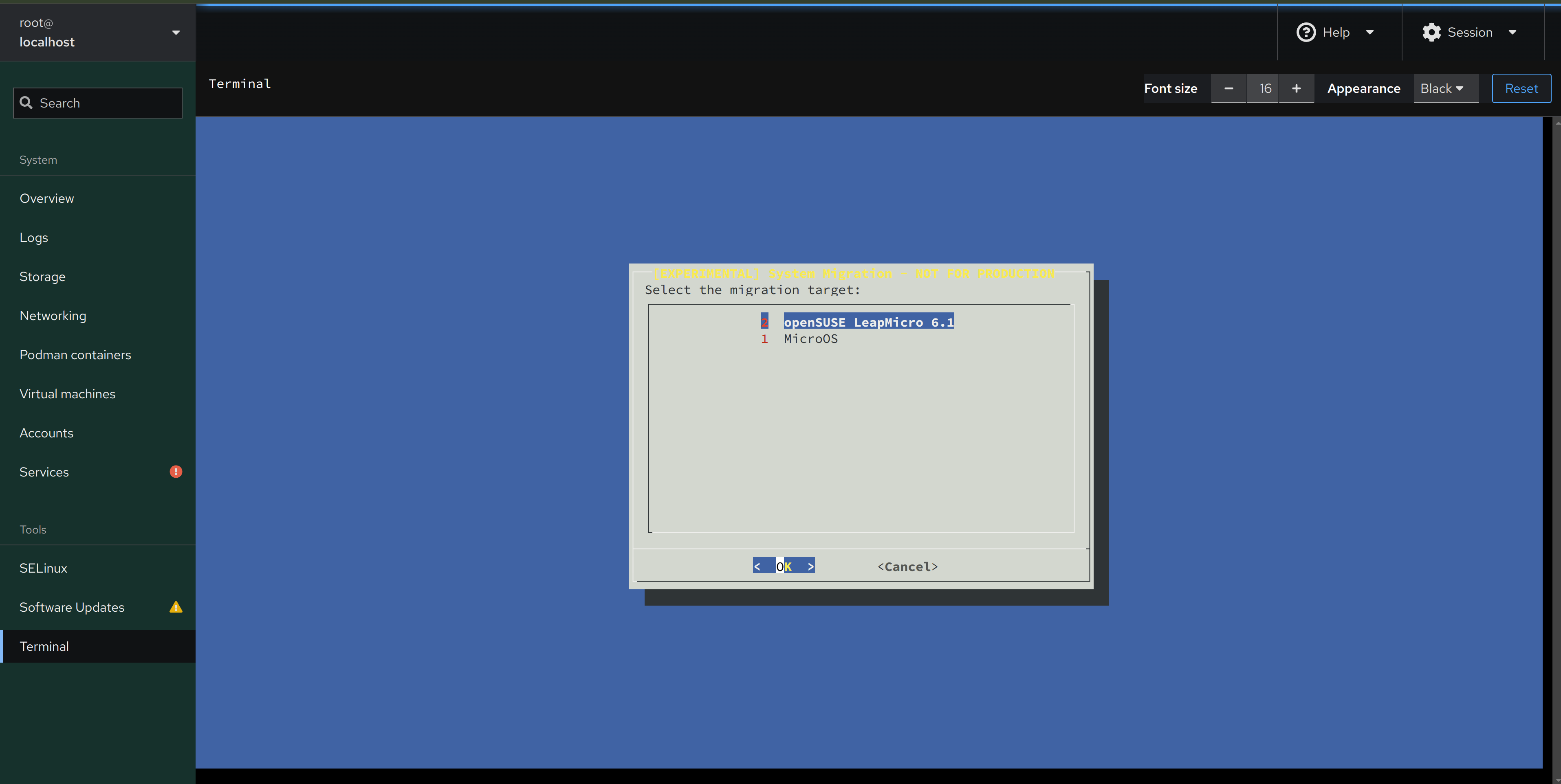
我们正在引入 一种新的迁移工具,该工具将与 Leap Micro 6.1 一起使用,希望能够简化未来升级到 Leap Micro 版本的流程,特别是新的主要版本。让我们看看如何在旧的 Leap Micro 版本中从 git 部署它,以及如何在 Leap Micro 6.1 Beta 上安装它。
该工具的主要好处是,您不必手动处理 任何新的发行版中引入的仓库更改。希望这将带来更流畅、更直接的升级体验。目前 opensuse-migration-tool 仍处于实验阶段。
使用 Leap 或 Tumbleweed 中的 Leap Micro 容器测试该工具
我们需要运行旧版本的 Leap Micro 才能升级到 6.1。
由于我们在此示例中使用 distrobox,因此我们的主机可以运行 Leap、Tumbleweed、Aeon。Distrobox 将可以访问您的主目录,包括 git 检出。
关键是使用 –pre-release,以便将 Leap Micro 6.1 作为可用的升级目标。
$ git clone https://github.com/openSUSE/opensuse-migration-tool.git
$ cd opensuse-migration-tool
$ distrobox create --image registry.opensuse.org/opensuse/leap-micro/6.0/toolbox --name micro60
$ distrobox enter micro60 # from now on inside distrobox
$ zypper in bc jq curl dialog sed gawk
$ ./opensuse-migration-tool --pre-release --dry-run
$ sudo ./opensuse-migration-tool --pre-release # Chooose Leap Micro 6.1
$ cat /etc/os-release # should confirm that you've upgraded to 6.1
享受您的新 Leap Micro 6.1 Beta 容器
如果您的容器崩溃了,只需输入 exit podman stop micro60 或 docker stop micro60,然后输入 distrobox rm micro60。然后您可以重新开始。
在 Leap Micro 主机或 VM 内部测试该工具
在这里,我们必须使用 transactional-update shell,因为我们正在使用 Leap Micro 6.0 甚至 5.5 主机或 VM 进行操作。与前面的情况一样,重要的是从比 6.1 旧的 Leap Micro 版本尝试,否则唯一的迁移目标将是 MicroOS。
请确保使用 –pre-release,以便将 6.1 Beta 作为可行的迁移目标。
$ sudo transactional-update shell # from now on inside shell
$ zypper in git bc jq curl dialog sed gawk
$ git clone https://github.com/openSUSE/opensuse-migration-tool.git
$ cd opensuse-migration-tool
$ ./opensuse-migration-tool --pre-release --dry-run
$ sudo ./opensuse-migration-tool --pre-release  # Choose Leap Micro 6.1 as a target
$ reboot
*享受 Leap Micro 6.1 Beta
不用担心,如果搞砸了,我们正在使用 transactional-update shell。您始终可以启动先前的快照。
测试 Leap Micro 6.1 到 MicroOS 升级迁移
由于没有比 Leap Micro 6.1 Beta 更新的发行版,唯一的迁移/升级目标将是 MicroOS。
此示例的目的是表明 Leap Micro 6.1 仓库已经包含 opensuse-migration-tool。因此,除非您想对其进行修改,否则无需从 git 检出运行它。
$ sudo transactional-update shell
$ zypper in opensuse-migration-tool # Will work only on Leap Micro 6.1
$ sudo opensuse-migration-tool --dry-run # to oversee what would change
$ sudo opensuse-migration-tool # MicroOS is expected to be the only migration option from Leap Micro 6.1 Beta
升级到 MicroOS 后(实际上是 openSUSE Tumbleweed),不要再重新运行 opensuse-migration-tool。实际上没有更新的内容可以迁移,并且您会收到 openSUSE Tumbleweed 不受支持的消息。此行为是预期的。
已知问题
Bug 1233982 - 升级到 6.1 (netcfg) 失败
这个问题肯定会在您的 distrobox-based 实验中出现。Distrobox 使用 bind mount 覆盖 /etc/hostname,netcfg 的升级将在 post-script 中失败。可以安全地忽略它(在交互式 zypper dup 中输入 i)。
迁移工具首先尝试以非交互方式运行,如果失败,则将问题解决留给用户,通过以交互模式重新运行 zypper dup。
贡献
如果您有兴趣贡献,请随时发送 PR,报告问题或功能到 openSUSE/opensuse-migration-tool Github 仓库